Learn SQL online, on a database that is actually there
Learning SQL online usually means one of two things: a page of syntax you cannot run, or a course that opens by asking you to install a database server. This is the third. A real SQL client opens in this tab with a shop database of 23 tables and about 50,000 rows already in it, and you query it the way you would query one at work.
Open Planche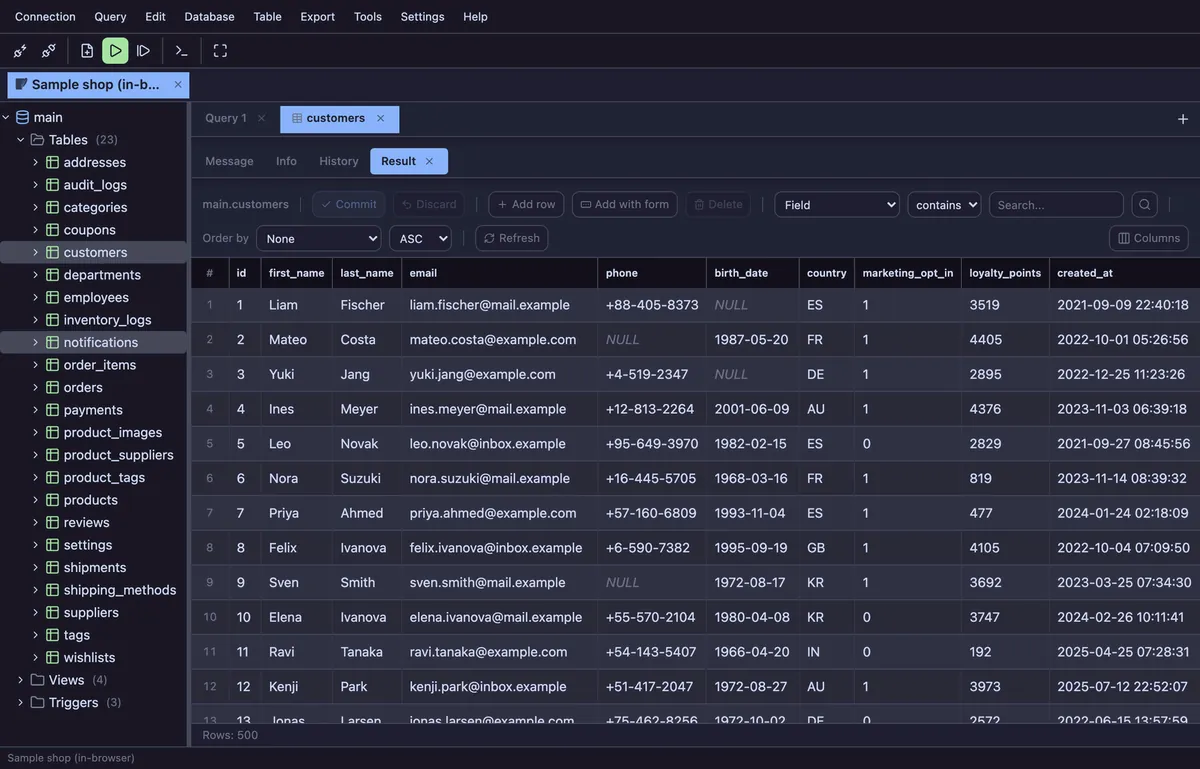
What you can do without installing anything
- Run SELECT, JOIN, GROUP BY, subqueries and window functions against 50,000 real rows
- Change data with INSERT, UPDATE and DELETE — and roll it back
- Read a query plan with EXPLAIN, add an index, and watch the plan change
- Browse the schema — 23 tables with their columns, indexes and foreign keys — and see it drawn as an ERD
- Work through the fourteen lessons at your own pace, or start with the SQL tutorial
What “online” means here
The database is not on a server we run. It is SQLite compiled to WebAssembly and loaded into your browser tab: the rows you read and the rows you change never leave your computer, and there is nothing to sign up for. That is also why it works on a locked-down machine where you are not allowed to install anything.
When the browser is not enough
Practice ends somewhere — sooner or later the data you care about is on a real server. The same client goes there: npx planche starts a small agent on your own machine, and your host, user and password never go anywhere else. There are pages for MySQL, PostgreSQL, SQL Server, Oracle and SQLite files.
Questions
Do I need an account?
No. Nothing here asks you to sign up, and no email address is collected. An account exists only if you later turn on connection sync, which is a separate, optional feature.
Does my data get uploaded?
No. The sample database runs inside the page. If you later connect to your own database, the local agent runs on your machine and the browser talks only to 127.0.0.1 — the credentials and the rows never reach us.
Can I practise on my own database?
Yes. Open a SQLite file with nothing to install, or run npx planche to reach MySQL, MariaDB, PostgreSQL, SQL Server, Oracle, Neon, Supabase or Cloudflare D1.
Is it free?
Yes. Every engine, the editor, the grid, the schema browser and the ERD are free. A few advanced features need Pro — see pricing.
Free to use
Planche has a free tier that needs no account and uploads none of your data — connection profiles live only in your browser. A few advanced features need Pro; see pricing.