Cloudflare Durable Objects client for wrangler dev
Planche is a free GUI for the SQLite storage of Cloudflare Durable Objects running locally in wrangler dev. Each object is a separate SQLite database, so it appears as a separate database in the tree. This is local development only. Deployed Durable Objects are not supported.
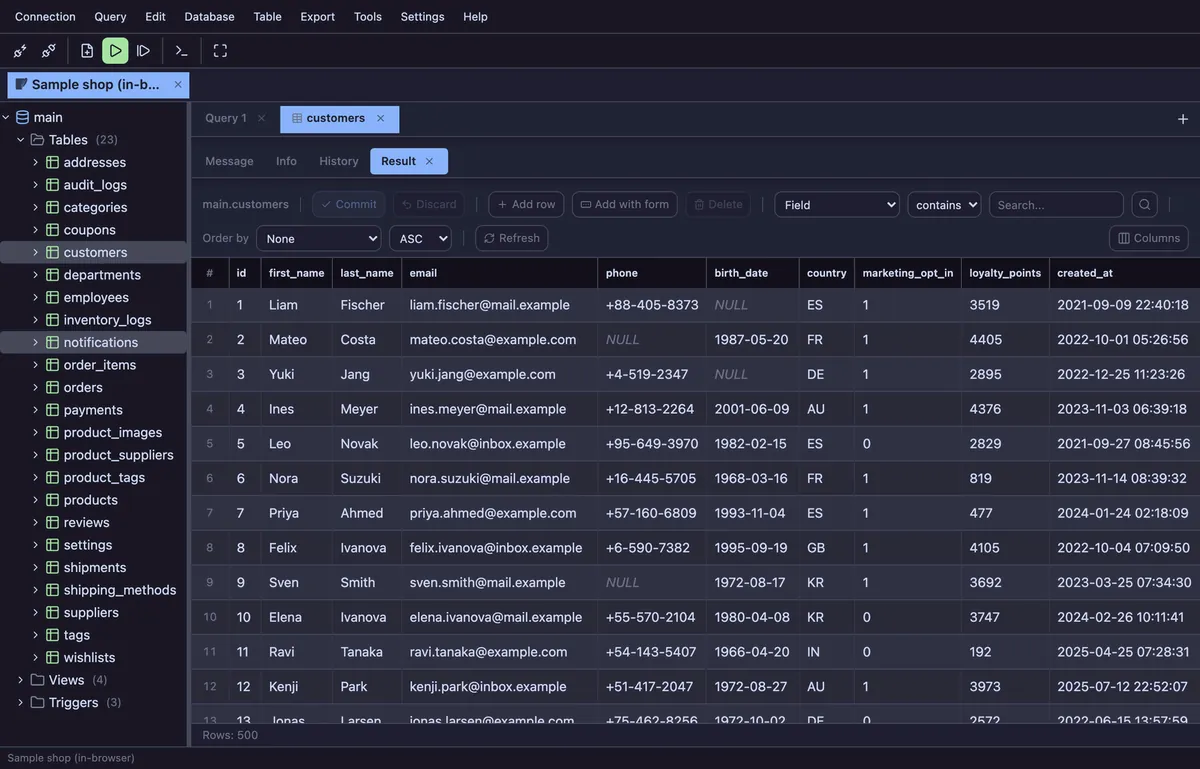
Features
- Named objects appear as
<namespaceId>/<object>, such asdo-probe-Counter/probe-one; objects fromnewUniqueId()use their 64-character hex id - One profile sees the wrangler development registry, including objects from other
wrangler devsessions running at the same time - SQLite-aware editor and
sqlite_master/PRAGMAschema tree for tables, views, triggers, columns and indexes - Editable grid for single-table SELECTs, CREATE TABLE DDL and an ERD built from foreign keys
- Shows
_cf_KV, wherectx.storage.put()data lives, while hiding miniflare’s internal__miniflare_do_nametable - Requests auto-commit;
BEGIN,COMMITandROLLBACKare unavailable
How it connects
Run npx planche and wrangler dev on the same machine, choose Cloudflare DO (wrangler dev), and enter the dev server URL (default http://localhost:8787). There is no account id, API token, password or SSH setup. Planche reads <devUrl>/cdn-cgi/local/explorer/api; no Worker-side component is installed or deployed.
Only loopback URLs are accepted, because allowing other hosts would turn the local agent into an HTTP proxy to arbitrary destinations.
Deployed objects cannot be queried through a documented Cloudflare SQL API. The dashboard’s Data Studio (Beta) uses an undocumented endpoint, and the only token permission that unlocks it is Workers Scripts Edit, which can deploy and modify every Worker in the account. Planche does not request that access. For deployed objects, use Data Studio or expose your own Worker endpoint.
Also available: SQLite viewer, MySQL client, MariaDB client, PostgreSQL client, SQL Server client, Oracle client, Neon client, Supabase client, Cloudflare D1 client, Redis client, Elasticsearch client and OpenSearch client.
Free to use
Planche has a free tier that needs no account and uploads none of your data — connection profiles live only in your browser. A few advanced features need Pro; see pricing.