Amazon Aurora MySQL client in your browser
Planche connects to Amazon Aurora MySQL through its standard MySQL-compatible endpoint. You work in a browser-based SQL editor and data grid, while the local Planche Agent on your machine holds the Aurora connection and credentials. AWS documents that Aurora clusters can be used with the same tools as MySQL databases.
Open the Aurora MySQL client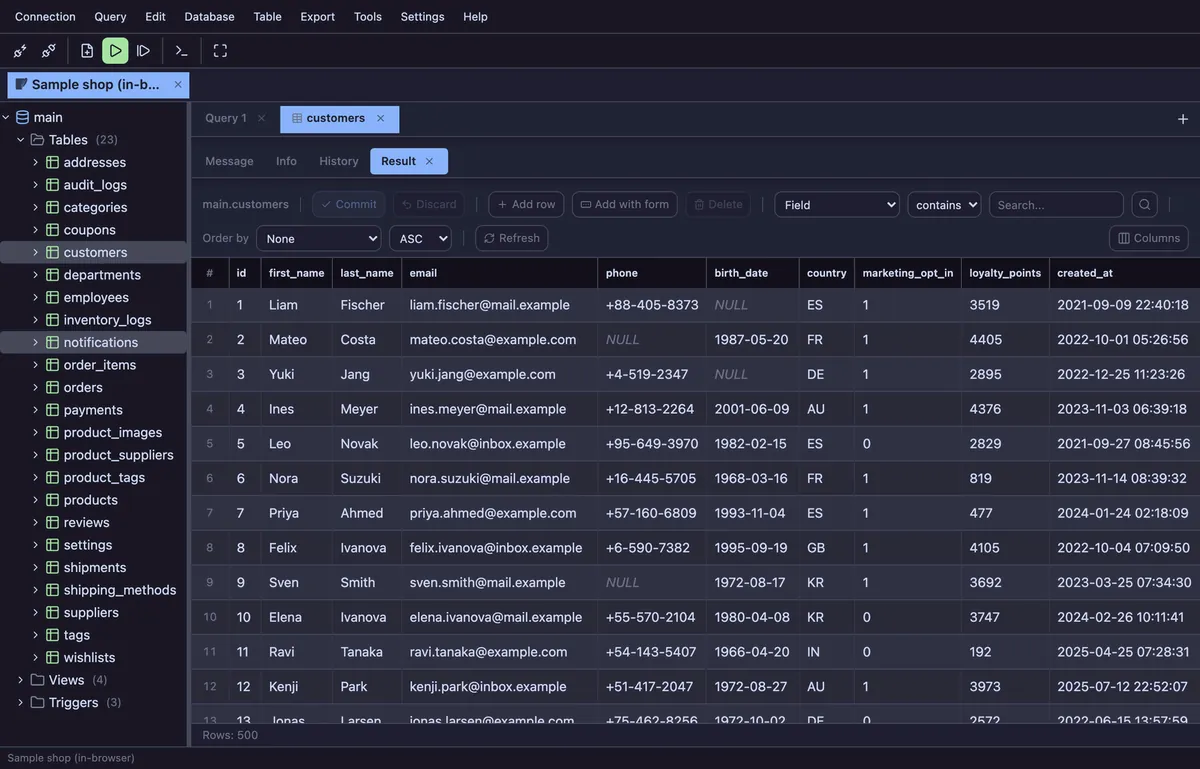
What you can do with Aurora MySQL
- Connect with an Aurora cluster, reader or instance endpoint and the MySQL port (normally
3306) - Enable TLS and optional server-certificate verification in the connection profile
- Run MySQL-compatible SQL with syntax highlighting, autocomplete, multi-statement scripts and
DELIMITERsupport - Browse databases, tables, views, routines, events, triggers, columns and indexes
- Edit addressable rows in the result grid after reviewing the generated UPDATE statements
- Build an ERD from foreign keys and keep layouts locally
- Mark a production profile read-only, give it an environment colour and require confirmation for destructive statements
How to connect to Aurora MySQL
In the Amazon RDS console, copy the Aurora endpoint and port. AWS explains the endpoint types in its Aurora connection guide: the cluster endpoint targets the writer, while the reader endpoint is intended for read-only traffic.
Run npx planche (Node.js 22+) and add a MySQL connection. Enter the endpoint as Host, the port, database user and password, and an optional default database. Enable TLS when your cluster requires encrypted transport.
Test the connection, then connect. The browser communicates with the local agent at 127.0.0.1; the agent opens the MySQL connection to Aurora. Your credentials do not pass through a Planche server.
Private VPC access and SSH tunnels
If the Aurora endpoint is not reachable from your computer, connect through a bastion host that can reach the cluster. Planche Pro supports SSH tunneling with a password, private key or ssh-agent. In the profile, enable SSH tunnel, enter the bastion details, and keep the database host as the endpoint resolvable from that bastion. See the SSH tunnel guide.
Planche does not create security groups, VPC routes or database users. It authenticates with a database username and password; IAM database authentication is not supported, because Aurora sends IAM tokens through the cleartext authentication plugin, which Planche does not enable.
Aurora-aware safety choices
Use the writer endpoint for changes and the reader endpoint for read-only work. Planche can also enforce read-only mode in the client before a write reaches Aurora. Production colour, destructive-statement confirmation, grid commit previews and manual transactions are included in Free; Dry Run is a Pro feature. Read more in the safety documentation.
Moving from Oracle’s desktop tool? The MySQL Workbench comparison explains which querying, data-editing and schema workflows Planche covers and which Workbench administration and modeling capabilities it does not replace.
Questions
Does Planche support Amazon Aurora MySQL?
Yes. Aurora MySQL exposes MySQL-compatible endpoints, and Planche connects through its MySQL driver. Use the Aurora endpoint as the host and its configured port, usually 3306.
Does Planche support Aurora PostgreSQL?
Planche supports PostgreSQL connections, and AWS exposes Aurora PostgreSQL through PostgreSQL-compatible endpoints. This page and its setup steps are specifically for Aurora MySQL; use the PostgreSQL client guide for PostgreSQL settings.
Do my Aurora credentials go to planche.dev?
No. The browser sends them to the Planche Agent on your machine over loopback, and the agent connects to the Aurora endpoint. They reach us only if you turn on Connection sync (Pro), and then only inside a vault encrypted in your browser with your own passphrase.
Can Planche use an SSH tunnel to reach a private Aurora cluster?
Yes. SSH tunneling is a Pro feature. The bastion must be reachable from your machine and able to reach the Aurora endpoint. Planche supports password, private-key and ssh-agent authentication.
Can Planche use IAM database authentication for Aurora?
Not at the moment. Planche signs in with a MySQL username and password. It neither generates IAM authentication tokens nor enables the cleartext authentication plugin that Aurora requires for them, so use a database user with a password.
Is the Aurora MySQL client free?
Aurora MySQL support, the SQL editor, editable grid, schema browser, ERD, query history and core safety controls are free with no account. SSH tunnels and the other advanced features on the pricing page require Pro.
Also available: SQLite viewer, MySQL client, MariaDB client, PostgreSQL client, SQL Server client, Oracle client, Neon client, Supabase client, Cloudflare D1 client, Cloudflare Durable Objects client, Redis client, Elasticsearch client and OpenSearch client.
Free to use
Planche has a free tier that needs no account and uploads none of your data — connection profiles live only in your browser. A few advanced features need Pro; see pricing.