A browser-based alternative to TablePlus
Planche is an alternative for developers who like the workflow of a visual database client but want the interface in a browser. It is not a hosted database console: the browser talks to a Planche Agent on your own machine, and that agent connects to the database. TablePlus is a native desktop client and, according to its documentation, also connects directly from your computer and keeps credentials on the device.
Open Planche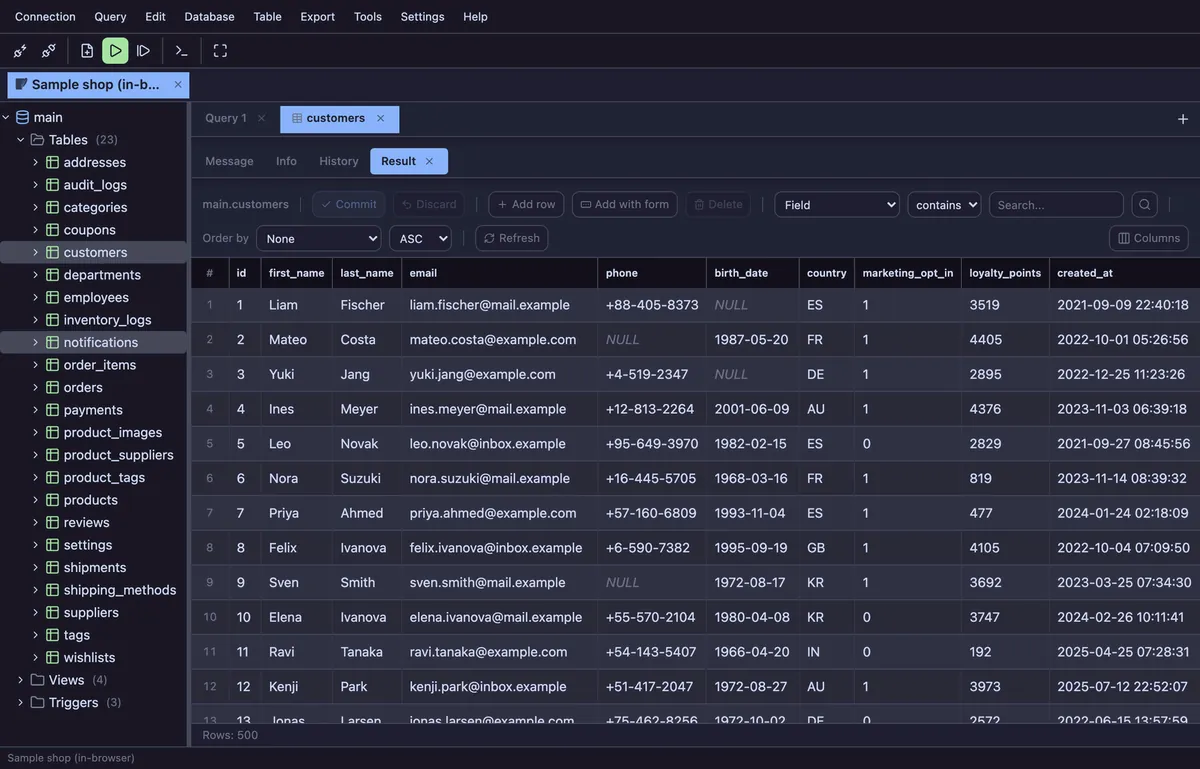
| Consideration | Planche | TablePlus |
|---|---|---|
| Interface | Browser-based UI with a local agent for network databases | Native application installed on macOS, Windows or Linux; an iOS app is also available |
| Where the database connection runs | On your machine, in the local Planche Agent | Directly from your computer, according to the TablePlus connection documentation |
| Credential handling | Profiles stay in browser storage; with Save password off, passwords last only for the browser session. They are sent to your local agent, and to the Planche sync service only inside a vault encrypted with your passphrase if you turn on Connection sync (Pro). | Stored in the device keychain and not synced to TablePlus servers, according to its documentation |
| Shared database support | MySQL, MariaDB, PostgreSQL, SQLite, SQL Server and Oracle | MySQL, MariaDB, PostgreSQL, SQLite, SQL Server and Oracle (the TablePlus support list marks Oracle as macOS-only) |
| SQL editor and editable grid | Included in Free | Available; edits remain pending until the user commits them |
| SSH tunneling | Pro; password, private key or ssh-agent | Available with password or private key |
| Free use | No account or time limit; unlimited connections and query tabs. Advanced features are separated on the pricing page. | No time limit; currently limited to two open tabs, two open windows and two advanced filters, per TablePlus pricing |
When Planche is the better fit
Choose Planche when a browser UI, cross-platform access and an explicit Browser → 127.0.0.1 → Planche Agent → Database path matter to you. The free client includes the SQL editor, editable grid, schema browser, ERD, query history and production guard rails.
Planche supports MySQL, PostgreSQL, MariaDB, SQLite, SQL Server and Oracle. It also connects to MySQL-compatible services such as Amazon Aurora MySQL.
When TablePlus may be the better fit
Choose TablePlus when you prefer a native desktop application, need one of the additional databases in its support list, or want its particular desktop workflow. This comparison does not claim that TablePlus sends database data or credentials to its servers: its official documentation says the opposite.
Questions
Is Planche a free TablePlus alternative?
Planche has a free client with no account or time limit. Every supported database, unlimited connections and query tabs, the SQL editor, editable grid, schema browser, ERD, query history and guard rails are free. SSH tunnels and the other advanced features listed on pricing require Pro.
Does Planche send my database credentials to the cloud?
No. Connection profiles live in browser storage. Your password is kept for the browser session unless you choose Save password, and the browser sends it to the Planche Agent on your machine, which opens the database connection locally. The one exception is optional Connection sync (Pro): profiles are encrypted in the browser with a passphrase that never leaves your machine before they are uploaded, so we cannot read them.
Is TablePlus cloud-based?
No. TablePlus describes itself as a native client that connects directly from your computer and stores credentials on the device. Planche differs in its browser-based interface, not by claiming that TablePlus is a cloud database proxy.
Which databases does Planche support?
Planche supports MySQL, MariaDB, PostgreSQL, SQLite, SQL Server and Oracle, plus Neon, Supabase, Cloudflare D1 and local Cloudflare Durable Objects development. See the linked database-client pages for engine-specific details.
Can Planche connect through an SSH tunnel?
Yes. SSH tunneling is a Pro feature and supports a password, private key or ssh-agent. See the SSH tunnel documentation.
Free to use
Planche has a free tier that needs no account and uploads none of your data — connection profiles live only in your browser. A few advanced features need Pro; see pricing.