Online SQL client that keeps your database local
Planche provides a browser-based SQL interface without giving a SaaS server access to your database. For network databases, the web app talks to a small agent bound to loopback on your computer. The agent—not planche.dev—holds the database connection and credentials.
Open the SQL client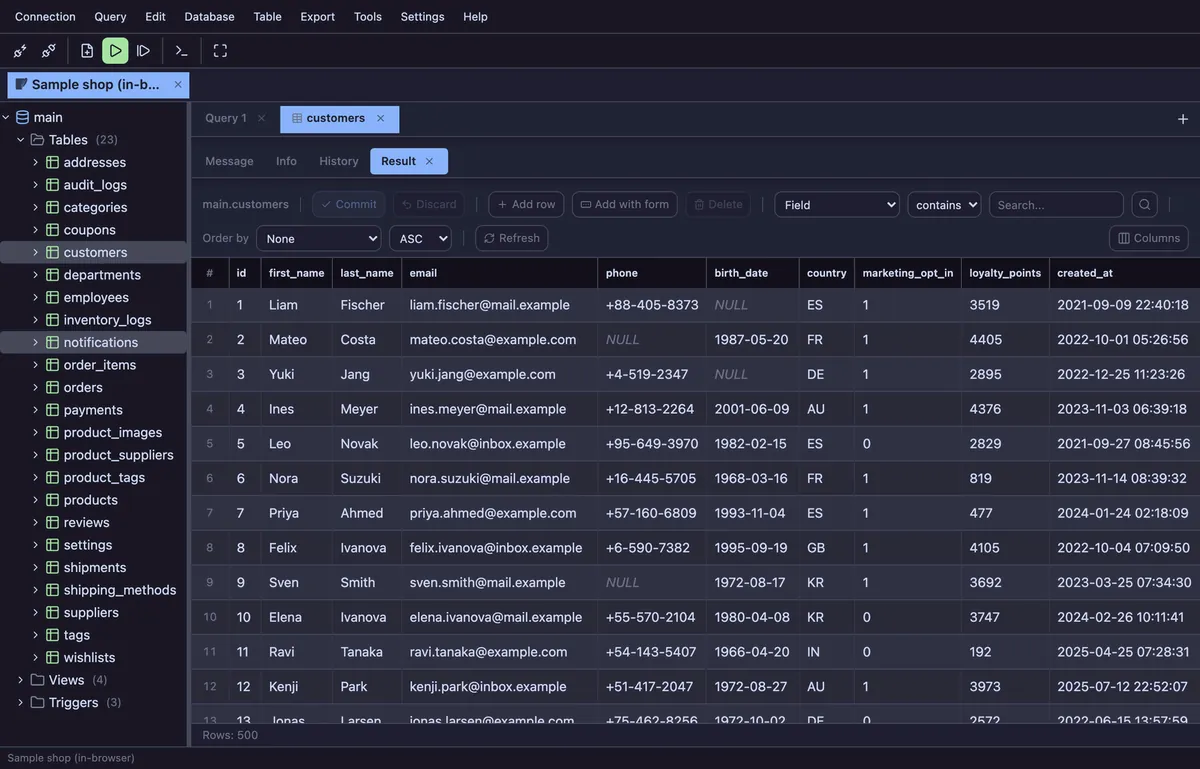
Browser UI without cloud database access
Browsers cannot open MySQL, PostgreSQL, SQL Server or Oracle TCP connections directly. Run npx planche and the local Planche Agent fills that gap. After a one-time pairing, the browser sends database requests to 127.0.0.1; the agent connects onward to the database.
The hosted site serves the application files. Your SQL, result rows and query history do not pass through a Planche server, and neither do connection profiles or passwords unless you turn on Connection sync (Pro), which uploads them only inside a vault encrypted in your browser with your own passphrase. For SQLite files opened in the browser, the database runs inside the page with WebAssembly and is not uploaded.
Databases and everyday SQL tools
Planche supports MySQL, MariaDB, PostgreSQL, SQLite, SQL Server and Oracle. It also has dedicated connection types for Neon, Supabase and Cloudflare D1, and works with compatible MySQL services including Amazon Aurora MySQL and Amazon RDS.
The free client includes a Monaco SQL editor, editable result grid, schema browser, ERD, query history, local editor history, read-only connections, environment colours and destructive-statement confirmation. No account is required. SSH tunnels, comparison tools, dry run, federated queries and the scratchpad require Pro; see Free versus Pro.
Start a local connection
Run npx planche with Node.js 22 or newer. The agent prints a single-use pairing link and can open it with --open. Add a connection profile in the browser, test it, and connect. The getting-started documentation explains installation and offline use.
Compare Planche with desktop SQL clients
Evaluating an existing tool? Read the factual comparisons with DBeaver, MySQL Workbench, DataGrip, TablePlus, Beekeeper Studio and Redis Insight. Each page names both the workflows Planche covers and the capabilities it does not replace.
Questions
Does Planche send my database credentials to the cloud?
No. The profile stays in browser storage, and credentials are sent over loopback to the Planche Agent on your machine, which connects to your database directly. Only if you turn on Connection sync (Pro) are profiles uploaded, encrypted in the browser with a passphrase we never see.
Is Planche really an online SQL client?
Planche has a browser-based interface served from the web, but it is not a cloud database proxy. Network database traffic follows Browser → 127.0.0.1 → Planche Agent → Database. The agent can also serve the app itself for offline or isolated networks.
Which databases can Planche connect to?
MySQL, MariaDB, PostgreSQL, SQLite, SQL Server and Oracle are supported. Planche also supports Neon, Supabase, Cloudflare D1 and local Cloudflare Durable Objects development.
Can Planche connect through an SSH tunnel?
Yes. SSH tunneling is a Pro feature. The local agent supports password, private-key and ssh-agent authentication and reads ~/.ssh/config. See the SSH documentation.
Is Planche free?
Yes. The free client needs no account or payment method and has no time limit. Every supported engine, unlimited connections and tabs, the editor, grid, schema browser, ERD, history and core safety features are free. The pricing page lists the separate Pro features.
Free to use
Planche has a free tier that needs no account and uploads none of your data — connection profiles live only in your browser. A few advanced features need Pro; see pricing.